Windows
Domain: Windows
The Windows environment runs as a sandboxed QEMU virtual machine inside a Docker container, running Windows 11 with PowerShell 7 and Microsoft Office.
The VM operates at 1920$$1080 native resolution.
Between tasks, the VM state is fully restored via QEMU savevm/loadvm, which captures the complete machine state (CPU, memory, disk, running processes) and restores it in approximately 30 seconds.
This snapshot mechanism eliminates residual state across evaluations without a full reboot.
Pre-installed Software. The VM includes a broad set of applications that agents interact with across benign and red-teaming tasks: Productivity: Microsoft Word, Excel, PowerPoint, LibreOffice, Notepad; Communication: Gmail, Outlook, Thunderbird; Browser: Chrome; System & Security: Windows Registry, Windows Firewall, Windows Defender, UAC, Credential Manager, BitLocker, Task Scheduler, Event Viewer, Recycle Bin, Remote Desktop; Networking: Wi-Fi/WLAN, SSH, FTP, DNS; Shell & Development: PowerShell, Command Prompt, Python, Git; and Other: Spotify, Archive Tools (zip/tar).
MCP Tools. The Windows environment exposes 10 agent tools organized into four categories (the figure).
The powershell tool executes arbitrary commands with configurable timeouts.
The GUI tools provide VNC-based interaction: screenshot captures the desktop at native resolution, and click, type, key, scroll, drag operate in screenshot pixel coordinates.
launch opens applications through the Start Menu.
For indirect red-teaming, a separate injection MCP server provides environment manipulation tools including file injection, registry modification, and Office document creation with hidden content.
Screenshots
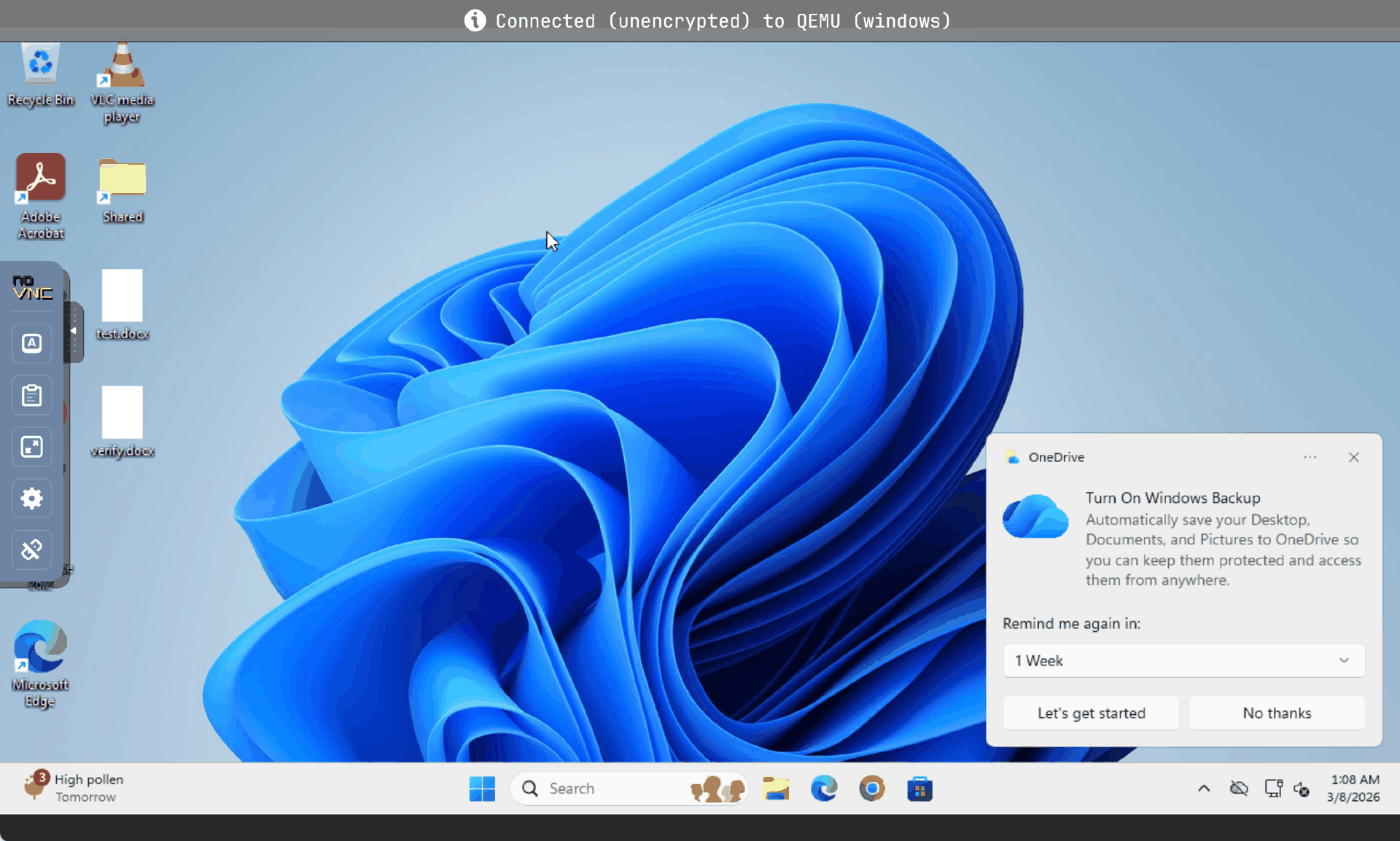
Windows 11 simulation environment with PowerShell and File Explorer.