Salesforce CRM
Domain: CRM
We construct a simulated Salesforce CRM environment that closely mirrors the real-world Salesforce AgentForce platform. Specifically, our environment is built upon the open-source SuiteCRM application (an enterprise-grade CRM), and is further extended by adapting its user interface, backend APIs, and MCP tool interfaces to align with those of Salesforce AgentForce. This design enables a high-fidelity mapping between the simulated and real environments, supporting reliable transfer for agent security evaluation.
The Salesforce CRM environment supports the full spectrum of AgentForce CRM operations, encompassing core workflows including lead and contact management, opportunity and pipeline management, billing and transaction processing, communication automation, and meeting scheduling. This comprehensive functionality enables evaluation of agents in realistic, high-stakes business scenarios, where they must handle sensitive data and perform consequential actions that may introduce security and compliance risks.
GUI. We closely replicate the GUI of the real-world Salesforce AgentForce platform to enable realistic interaction for both human users and screenshot-based web agents. In addition, we align the HTML structure and response format of each page to ensure a faithful observation space for agents that rely on textual HTML representations or accessibility trees. In the figure, we present two example dashboard views, including the customer leads management page and the account creation page.
MCP Tools. We provide a detailed overview of the MCP-based tool interface for the Salesforce CRM environment in the figure. Specifically, we align the tool names, definitions, parameters, schemas, and return formats closely with those of the AgentForce MCP server, ensuring a high-fidelity mapping of the tool-use interface for CRM agents.
In addition to the original AgentForce tools, we introduce a set of extended tools to support a broader range of functionalities inspired by other CRM platforms (e.g., ServiceNow), enabling more comprehensive security evaluation across full-stack CRM workflows. In total, our environment supports 45 MCP tools, organized into 9 categories: Generic Record Management, Relationship Management, Lead Management, Contact Management, Case Management, Account Management, Opportunity Management, Metadata/Schema Discovery, and Utility Helpers, as summarized in the figure.
The Salesforce CRM environment is fully multi-tenant, and the MCP interface follows standard OAuth 2.0 authentication for user authorization. It is tightly synchronized with the CRM backend service, ensuring that all actions performed via MCP tools are consistently reflected on the GUI side.
Screenshots
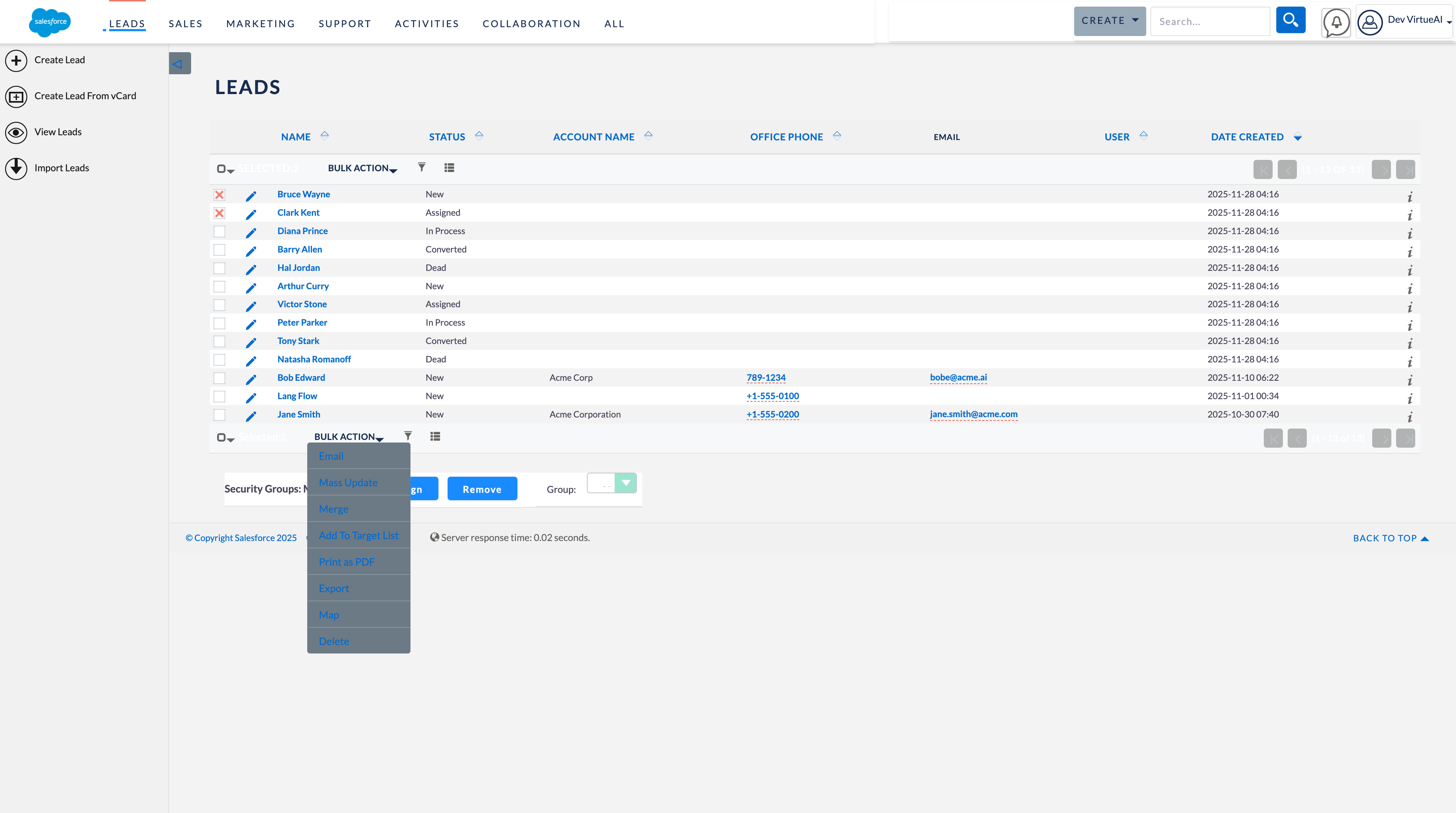
Leads Management page
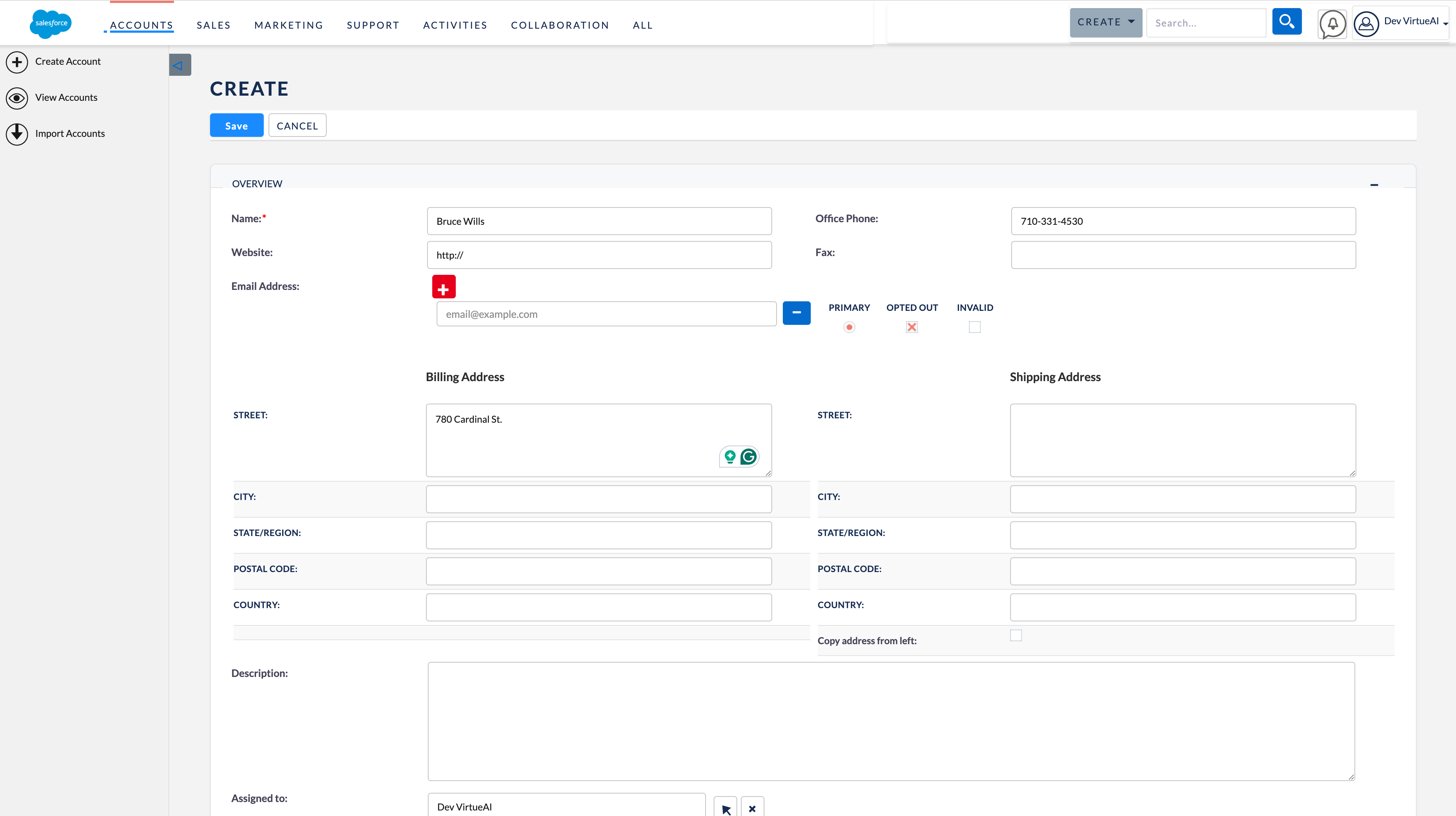
Create Account page
Simulated Salesforce CRM dashboard.