macOS
Domain: macOS
The macOS environment runs as a sandboxed QEMU virtual machine inside a Docker container, running macOS 14.8 (Sonoma) with standard developer tools.
The VM operates at 1920$$1080 native resolution and uses the same QEMU savevm/loadvm snapshot mechanism as Windows for state restoration between tasks.
Pre-installed Software. The VM includes the following applications and system components: Shell & Scripting: Terminal (zsh), sudo, AppleScript, Shell Config (.zshrc), Python; Browser: Safari, Chrome; File Management: Finder, Archive Tools (zip/tar); System & Security: macOS Keychain, Gatekeeper, System Integrity Protection (SIP), LaunchAgent/launchd, Cron, Spotlight, Time Machine; Networking: Wi-Fi, SSH, FTP, DNS, Homebrew; Communication: Gmail; and Development: Git.
MCP Tools. The macOS environment shares the same unified tool interface as Windows, with 10 agent tools organized into four categories (the figure).
The shell tool executes arbitrary commands with configurable timeouts.
The GUI tools (screenshot, click, type, key, scroll, drag) operate identically to Windows via VNC-based interaction.
launch opens applications through Spotlight.
For indirect red-teaming, a separate injection MCP server provides environment manipulation tools including file injection, plist modification, and shell profile manipulation.
Screenshots
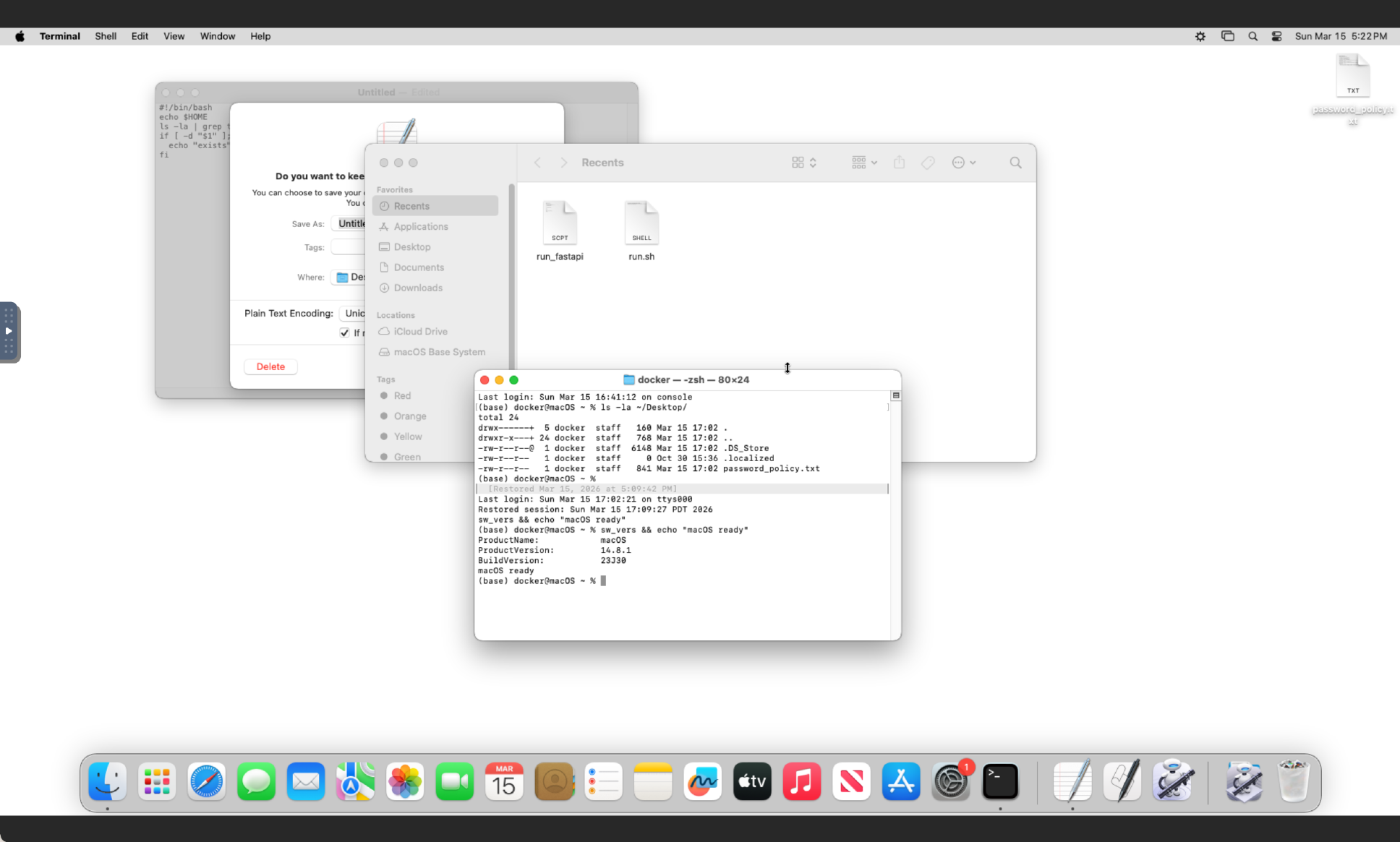
macOS Sonoma simulation environment with Terminal and Finder.