Microsoft 365 Agents
Integrate AgentSuite with Microsoft 365 Agents via the Virtue Gateway for AgentGuard runtime enforcement, access control, MCP server scanning (where enabled), and session observability in the dashboard.
Installation
pip install agentsuite-sdk microsoft-agents-hosting-aiohttp 'semantic-kernel[mcp]' openai
How It Works
adapter.function_filter()— register on the Semantic Kernel withkernel.add_filter(FilterTypes.FUNCTION_INVOCATION, ...)to intercept MCP tool calls.adapter.mcp_plugin()— connect during app startup and add to the kernel as an MCP plugin.adapter.record_user_message(text)— call at the start of each incoming Teams/M365 message turn.
Quickstart
from agentsuite import GatewayClient
from semantic_kernel import Kernel
from semantic_kernel.connectors.ai.open_ai import OpenAIChatCompletion
from semantic_kernel.filters import FilterTypes

gateway_client = GatewayClient(url=GATEWAY_URL, api_key=GATEWAY_API_KEY)
adapter = gateway_client.ms365()

kernel = Kernel()
kernel.add_service(OpenAIChatCompletion(ai_model_id="gpt-4o", api_key=OPENAI_API_KEY))
kernel.add_filter(FilterTypes.FUNCTION_INVOCATION, adapter.function_filter())

_gateway_plugin = adapter.mcp_plugin()

# During app startup:
await _gateway_plugin.connect()
kernel.add_plugin(_gateway_plugin)

# In each message handler:
adapter.record_user_message(user_text)
Full runnable example: demo_ms365.py
Testing with Teams App Test Tool
Start the demo server, then test your M365 agent locally using the Microsoft Teams App Test Tool:
# Start the server
python examples/demo_ms365.py

# In another terminal, install and run the test tool
npm install -g @microsoft/teams-app-test-tool
teamsapptester
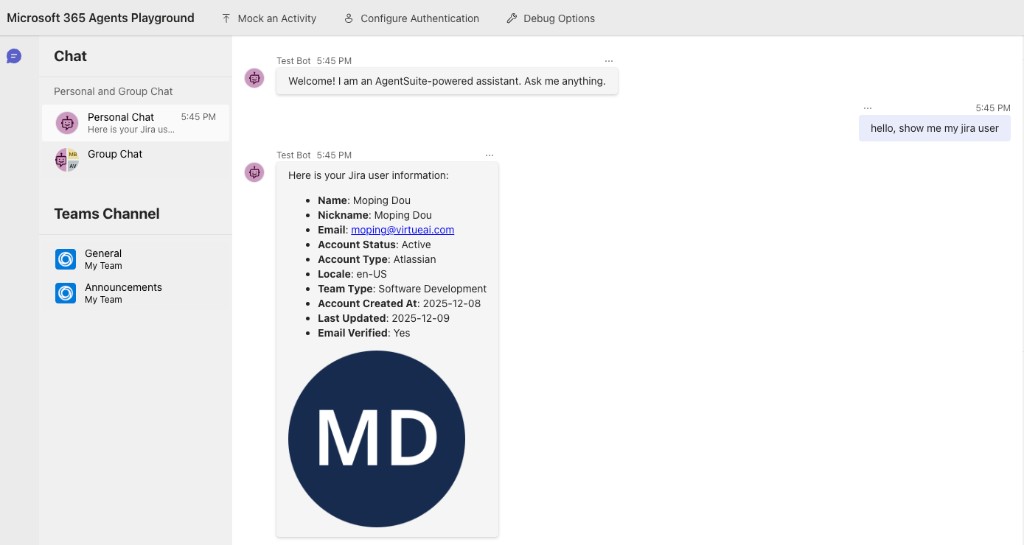
The tool opens Microsoft 365 Agents Playground, a Teams-like UI where you can chat with your agent.
Example Output
In the Playground UI:
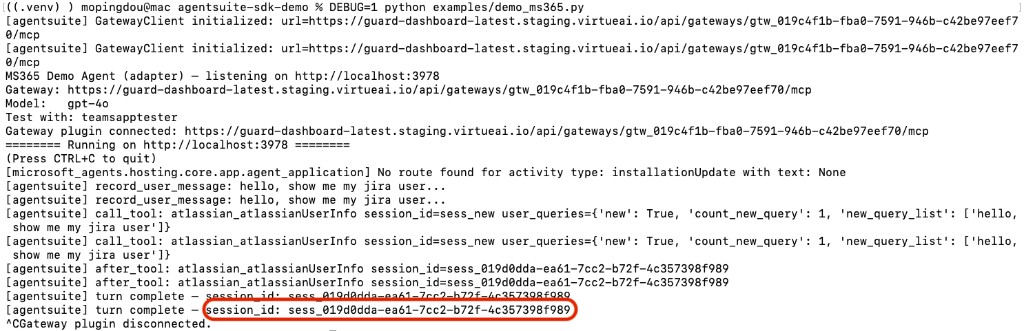
In the server terminal:
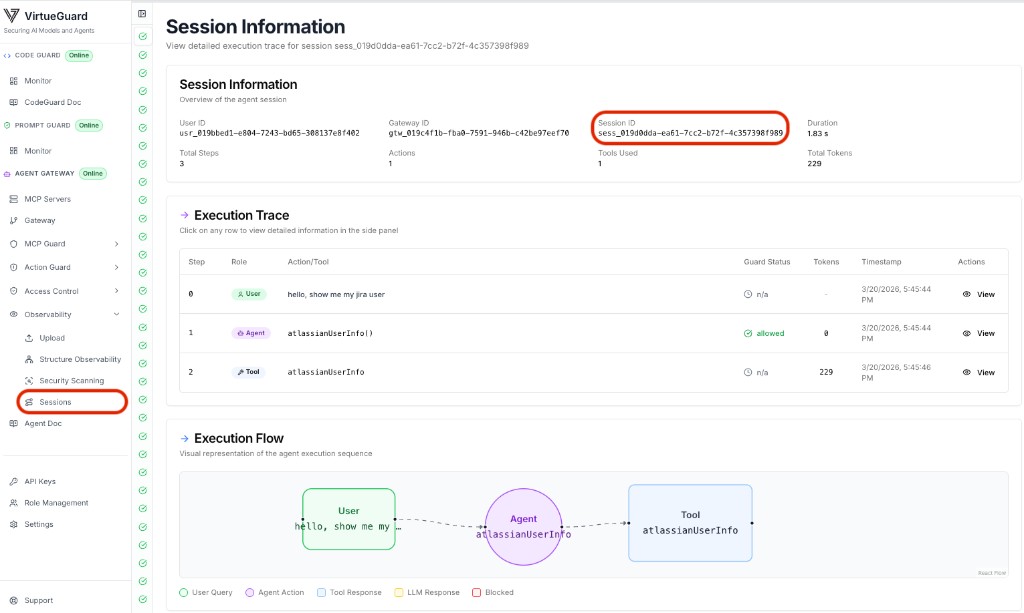
In the VirtueAgent dashboard:
You can find the session below the gateway on the Sessions tab (under Observability in the sidebar) to view session overview and the full execution trace — including every user message, tool call, and AgentGuard decision:
Environment Variables
| Variable | Description |
|---|---|
VIRTUE_GATEWAY_URL | Gateway MCP endpoint URL |
VIRTUE_API_KEY | VirtueAI API key |
OPENAI_API_KEY | OpenAI API key |
OPENAI_MODEL | Model name (default: gpt-4o) |
PORT | Server port (default: 3978) |