API Key Management
API keys let agent clients and integrations authenticate with VirtueGuard services without an OAuth flow. When creating a key, you select which Agent Gateways it can access — the key then has full access to all guardrail products (Code Guard, Prompt Guard, Shadow AI, etc.) associated with those gateways.
Creating an API Key
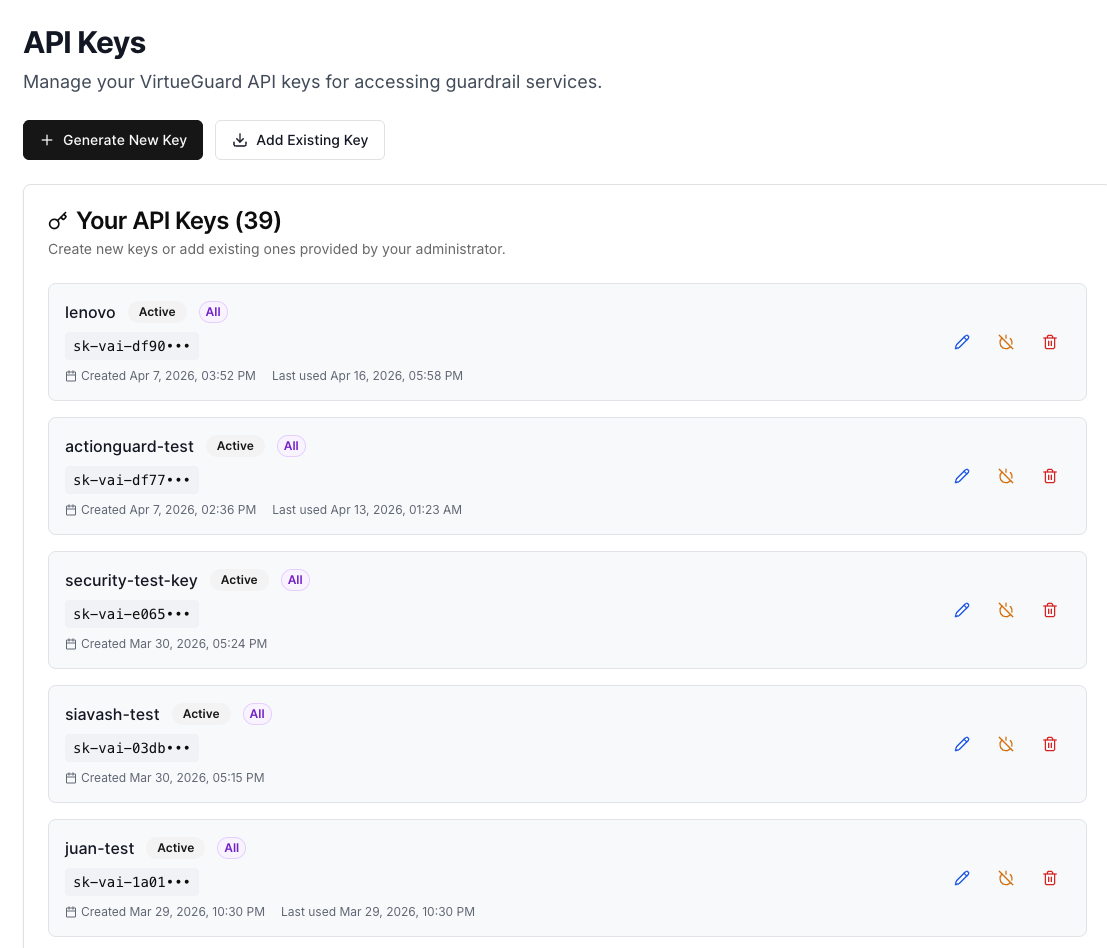
- In the VirtueGuard dashboard, navigate to API Keys
- Click Generate New Key
- Enter a description (e.g., "Production API", "Development Key")
- Under Select Gateways, check the gateways this key should have access to
- Click Generate Key and copy the key — it is only shown once
Using an API Key
MCP clients (VS Code / GitHub Copilot): Pass the key in the X-API-Key header of your MCP client config:
{
  "servers": {
    "virtueagent-gateway": {
      "type": "http",
      "url": "https://your-gateway-url.virtueai.io/mcp",
      "headers": {
        "X-API-Key": "<your-api-key>"
      }
    }
  }
}
SDK-based integrations: Pass the key when constructing GatewayClient:
from agentsuite import GatewayClient

client = GatewayClient(
    url="https://your-gateway-url.virtueai.io/mcp",
    api_key="<your-api-key>",
)
The SDK sends the key as the X-API-Key header on every gateway request.
Managing API Keys
From the same API Keys page, you can:
- Edit — update its description or gateway permissions
- Revoke — disable the key without deleting it
- Delete — permanently remove the key