LangChain
Integrate AgentSuite with LangChain via the Virtue Gateway for AgentGuard runtime enforcement, access control, MCP server scanning (where enabled), and session observability in the dashboard.
Installation
pip install agentsuite-sdk[langchain]
The [langchain] extra does not include an LLM provider — install the one you need separately (e.g. langchain-openai, langchain-anthropic, langchain-google-genai). The model string follows LangChain's init_chat_model format (e.g. openai:gpt-4o).
How It Works
adapter.get_tools()— returns gateway tools to pass intocreate_agent(tools=[...]).adapter.create_callback()— pass toconfig={"callbacks": [...]}for session tracking.- Use the adapter as an async context manager (
async with adapter) to manage the MCP connection lifecycle.
Quickstart
from langchain.agents import create_agent
from langchain_core.messages import HumanMessage
from agentsuite import GatewayClient

client = GatewayClient(url="...", api_key="sk-vai-...")
adapter = client.langchain()

async with adapter:
    tools = await adapter.get_tools()
    graph = create_agent(
        model="openai:gpt-4o",
        tools=tools,
        system_prompt="You are a helpful assistant.",
    )
    result = await graph.ainvoke(
        {"messages": [HumanMessage(content="What are my open tickets?")]},
        config={"callbacks": [adapter.create_callback()]},
    )
Full runnable example: demo_langchain.py
Example Output
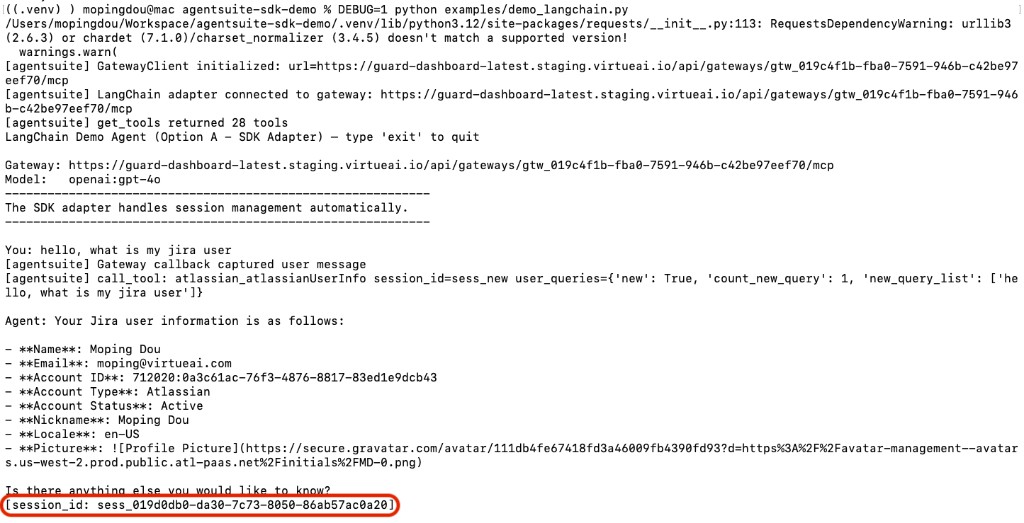
The agent responds to the query and prints the session ID:
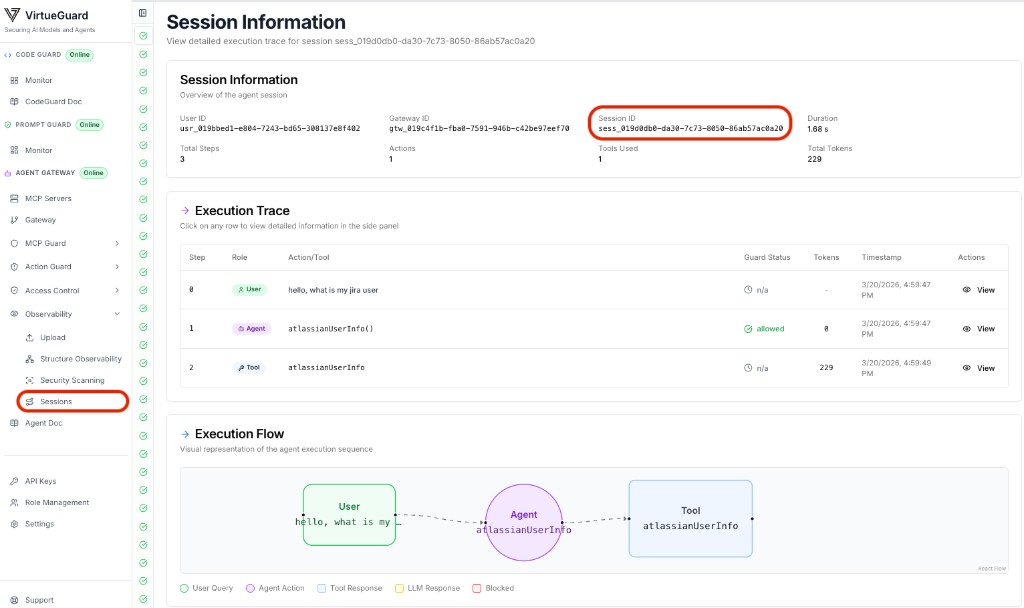
View the full session trace in the VirtueAgent dashboard (Observability → Sessions):
Environment Variables
| Variable | Description |
|---|---|
VIRTUE_GATEWAY_URL | Gateway MCP endpoint URL |
VIRTUE_API_KEY | VirtueAI API key |
OPENAI_API_KEY | OpenAI API key (only when using an openai: model) |
AGENT_MODEL | Optional; init_chat_model-style string (demo default: openai:gpt-4o) |