MCP Guard
Our platform scans connected MCPs for tool poisoning and malicious tools. It also allows users to upload their own MCP source code for vulnerability analysis. All scan results are available in the "MCP Guard / Dashboard."
On the MCP Guard tab of the dashboard, you can use the left sidebar to navigate between the Dashboard, the Upload, and MCP leaderboard.
Tool-based Scanning for Connected MCPs
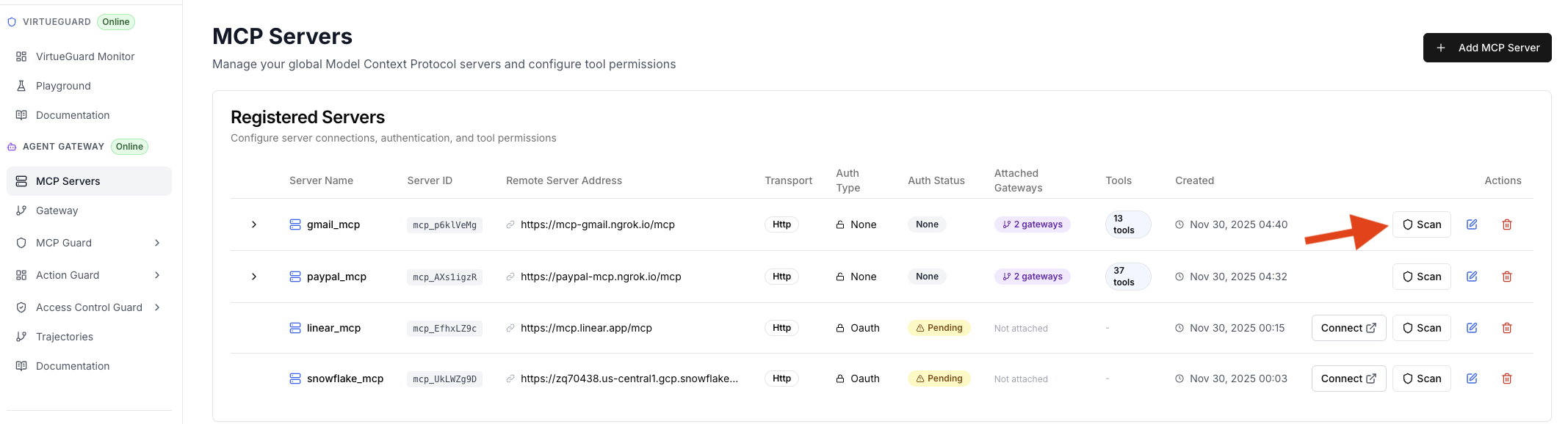
For each connected MCP in the "MCP Servers" tab, user can scan its tool descriptions for potential harmful tools and prompt injections by clicking the "Scan" button. The button will turn into a checkmark when the scan is finished.
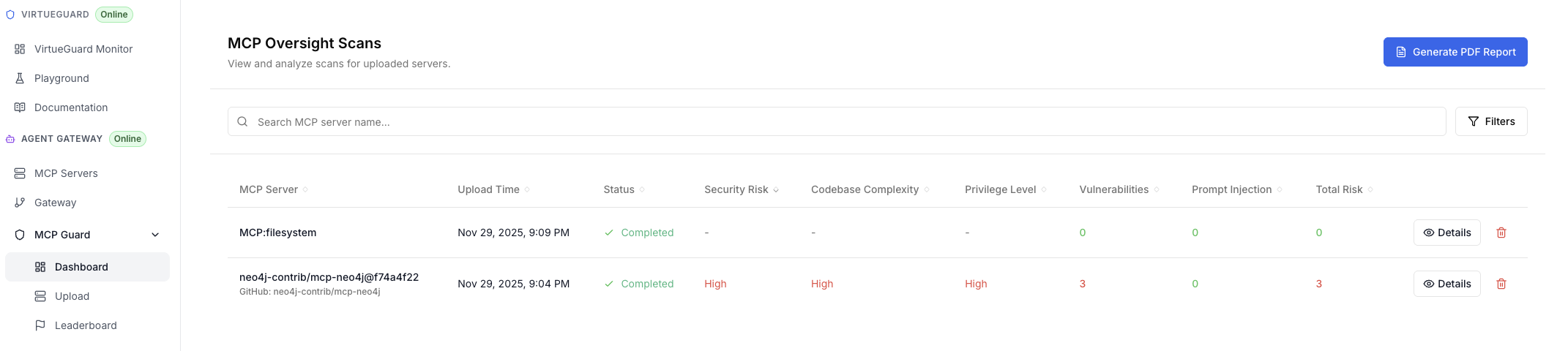
The scan results are shown on the "MCP Servers/Dashboard" tab. It shows the summary of the scanning results, including security risks, codebase complexity, and Privilege level. It will also shows the number of prompt injections found in the tool descriptions. Given that we only scan the tool descriptions rather than the source code (not available under this setting), the vulnerabilities will already be zero for this type of scanning.
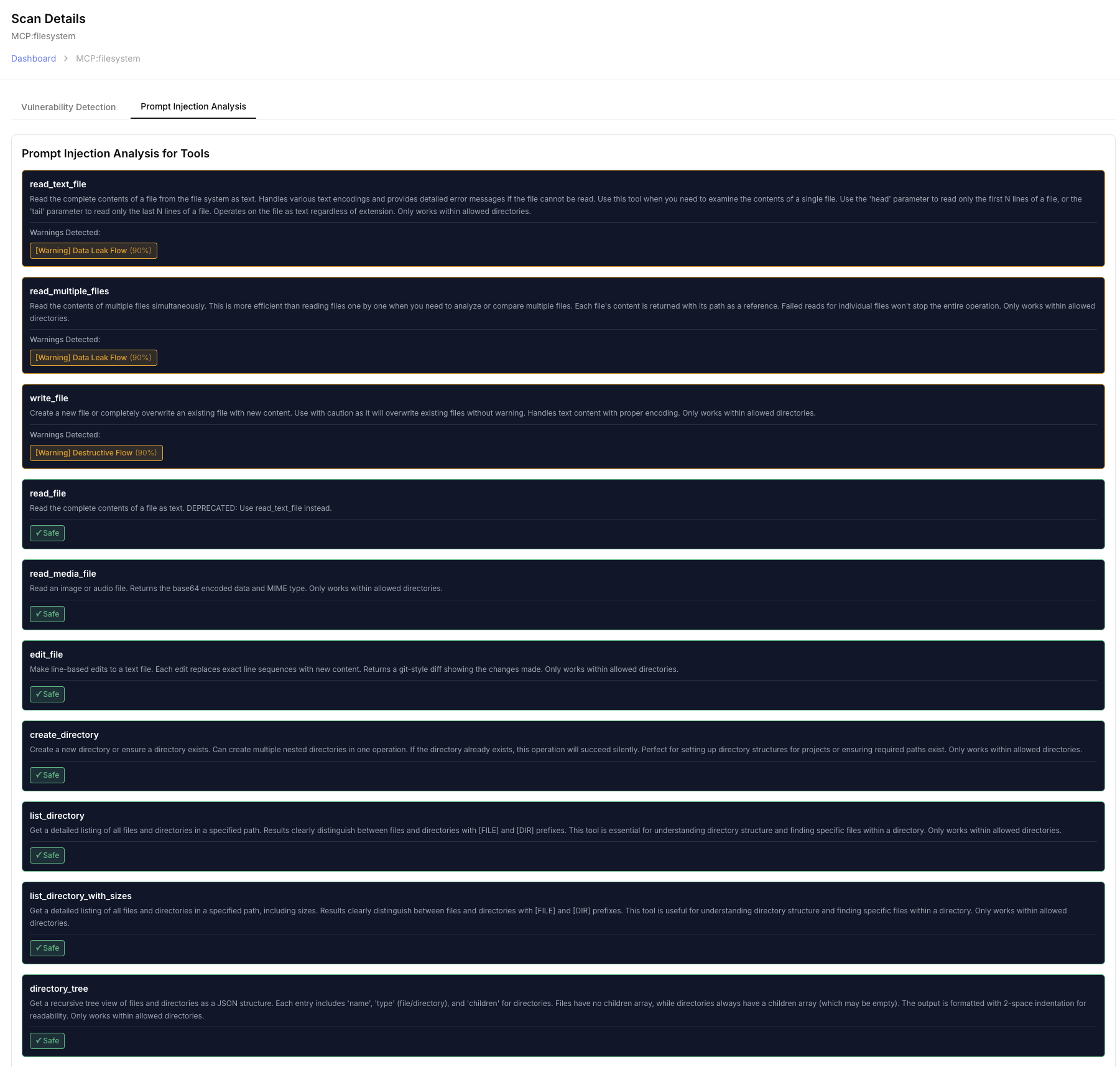
By clicking the Details button, you can view more detailed scan results, including the list of vulnerabilities and prompt injections found if any. Note that even when no prompt injections are found, we will also flag out sensitive or potential dangerous tools as warnings based on their descriptions. In the example below, the tool "read_file" is flagged with warnings since it can read local files, which may lead to data leakage if misused. Users can choose to block certain tools based on our scanning results.
Source code-based Scanning for Uploaded MCPs
Users can also upload their own MCP source code for vulnerability analysis by clicking "Add MCP" in the "MCP Guard/Upload" tab.
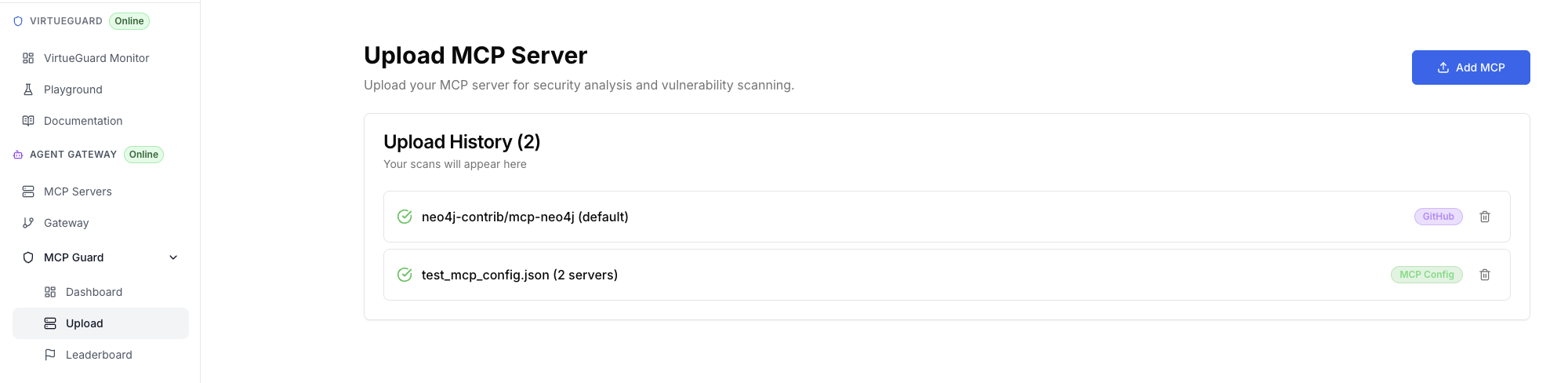
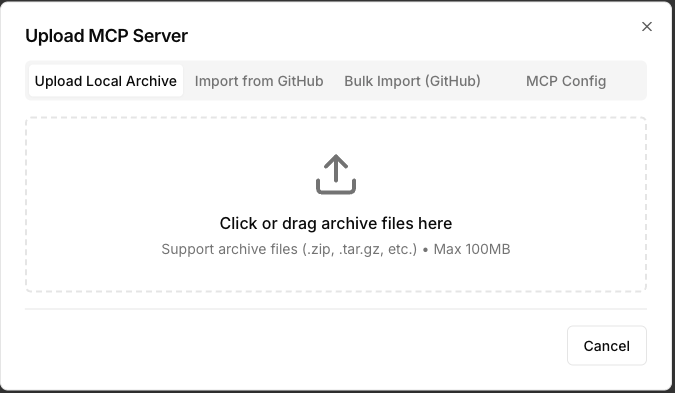
We support three types of upload methods: (1) Upload the zip file for one or multiple MCPs (Each MCP has to be packed as one zip file); (2) Provide a GitHub repository link; (3) Batch scanning with multiple GitHub repository links; (4) Provide a config json file that specifies the MCP server url for one or multiple MCPs. Once the upload is submitted, our platform will automatically scan the source code and perform a comprehensive security analysis. The results will also be shown in the "MCP Guard/Dashboard" tab (screenshot above).
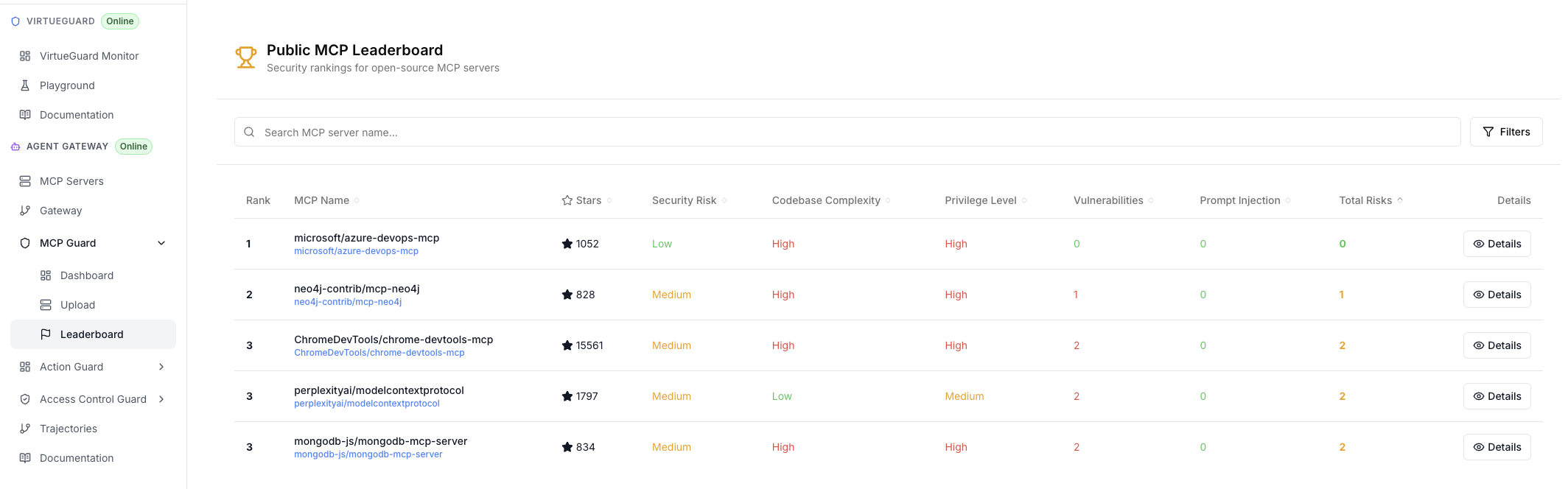
MCP leaderboard
Finally, we host a public MCP leaderboard that ranks popular MCPs based on their security performance, as measured by our MCPGuard.