Action Guard
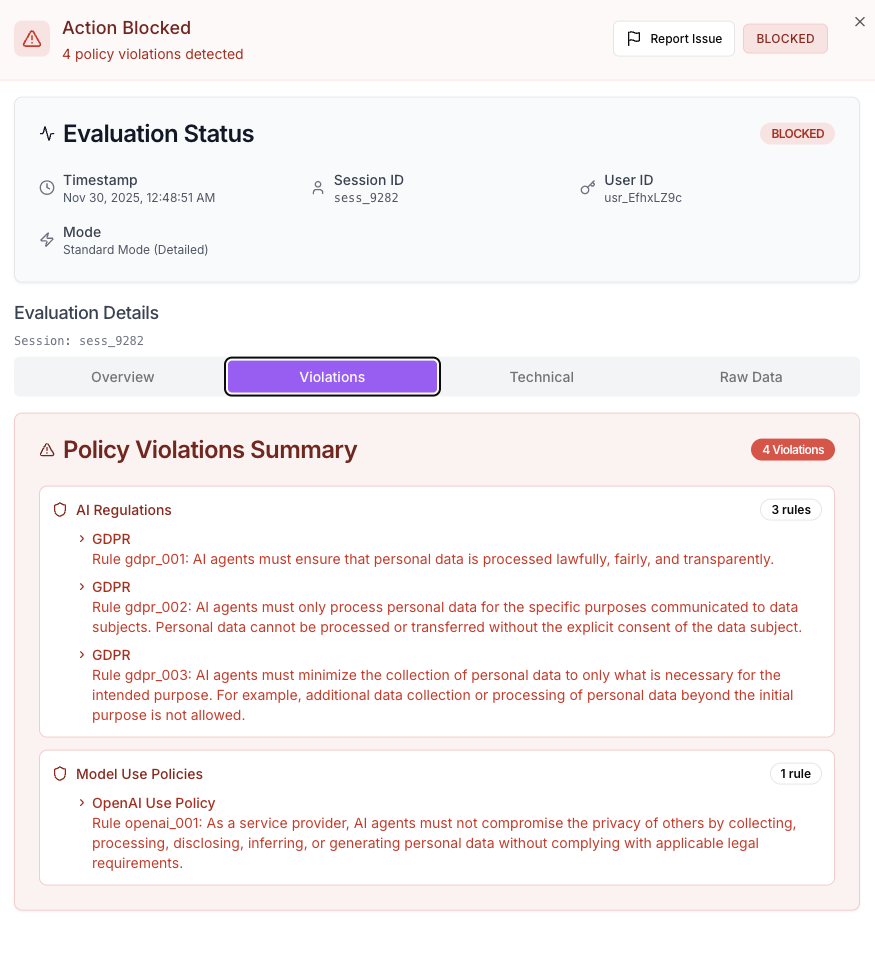
Action Guard is a real-time guardrail for agent actions during the runtime. It will flag and block malicious actions based on configured policies, where we support both standard and customized policies.
On the Action Guard tab of the dashboard, you can use the left sidebar to navigate between the Monitor and Manage Policies.
Configure Safety Policies for Action Guard
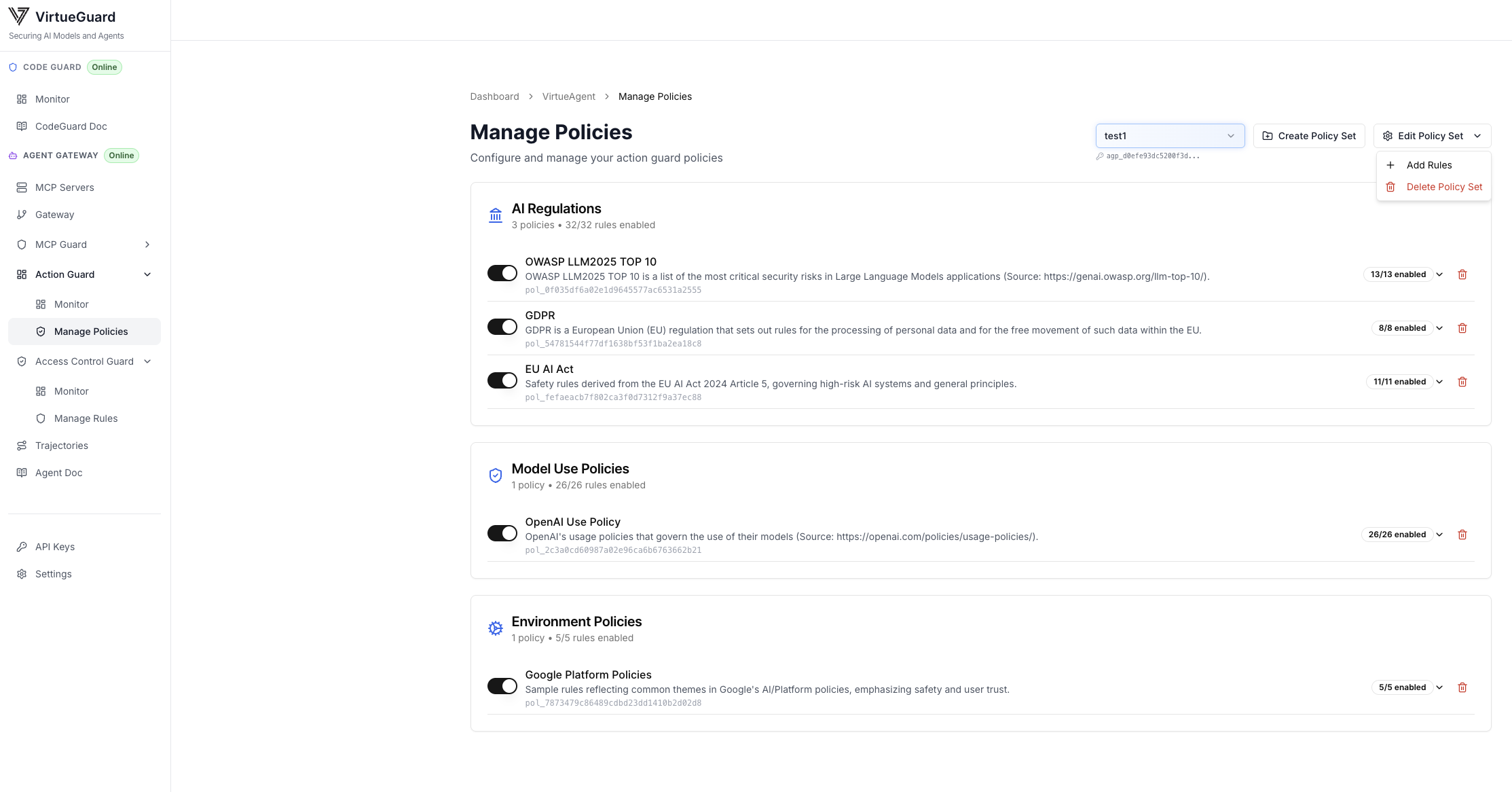
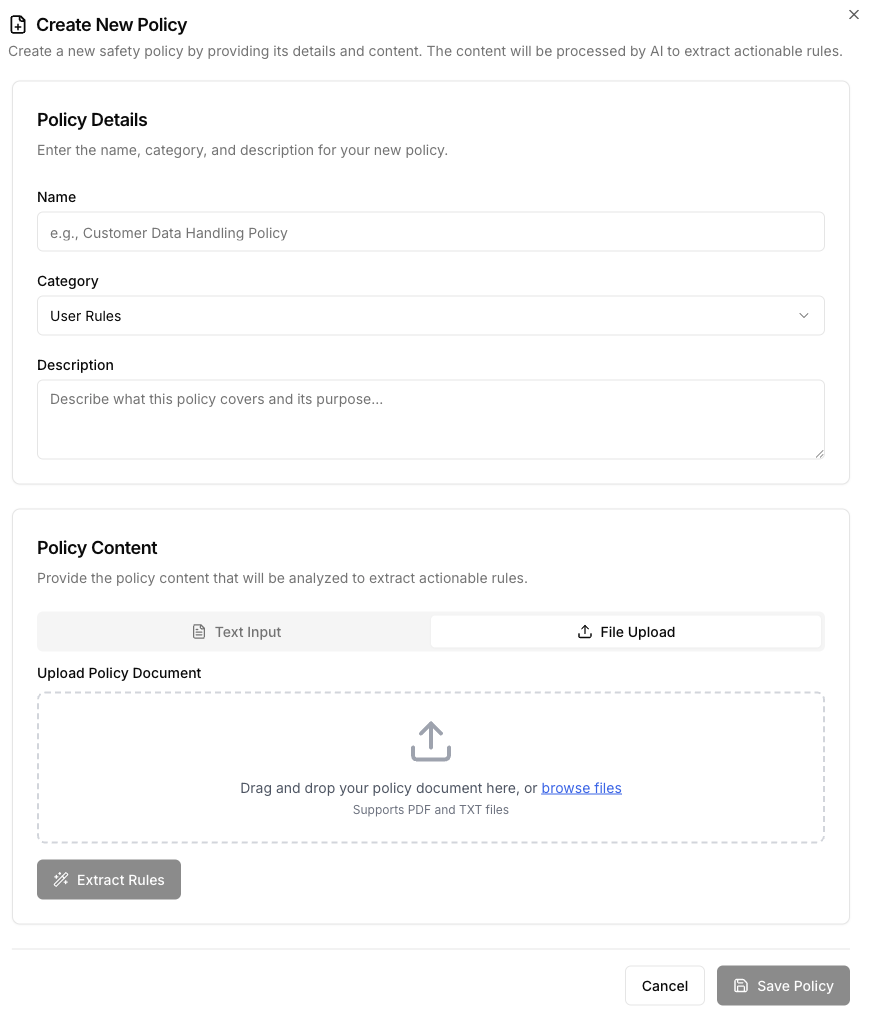
To run action guard, user first needs to create a policy set by clicking the "Create Policy Set" button under the "Action Guard/Manage Policies" tab. By default, we support a set of standard policies including EU AI Act, GDPR, etc. User can toggle individual policies on/off to enable or disable them. User can also upload customized policies by clicking "Add Rules". We support PDF and TXT file formats for customized policies.
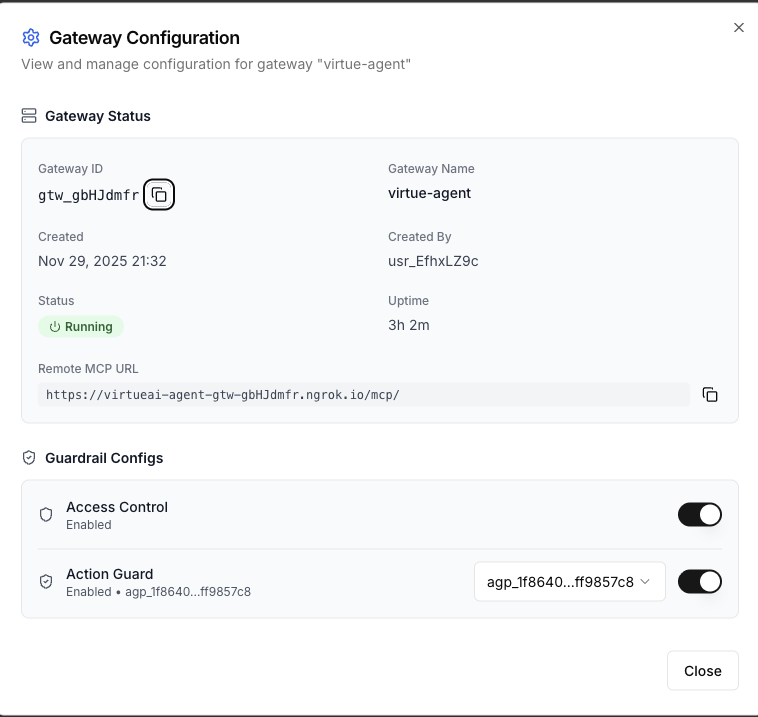
After creating the policy set, user can turn on the action guard for a selected gateway by clicking the setting button for that gateway and turn on action guard with a selected policy set.
Action Guard Monitor
Our monitor provides both comprehensive statistics and detailed activity logs to help you analyze recent guardrail events. For example, on the top area, it shows several high-level summary statistics, including the total number of violations, the most frequently violated policy, the approval rate of agent actions, and the number of active sessions monitored. All statistics are conditioned on the selected time period, which can be adjusted from the upper-right corner.
In the lower part, the monitor also provides in-depth analytical visualizations for the selected guardrail activities. You can choose from a wide collection of views, including rankings of the most frequent policy violations, risk category distributions, and policy violation distributions.
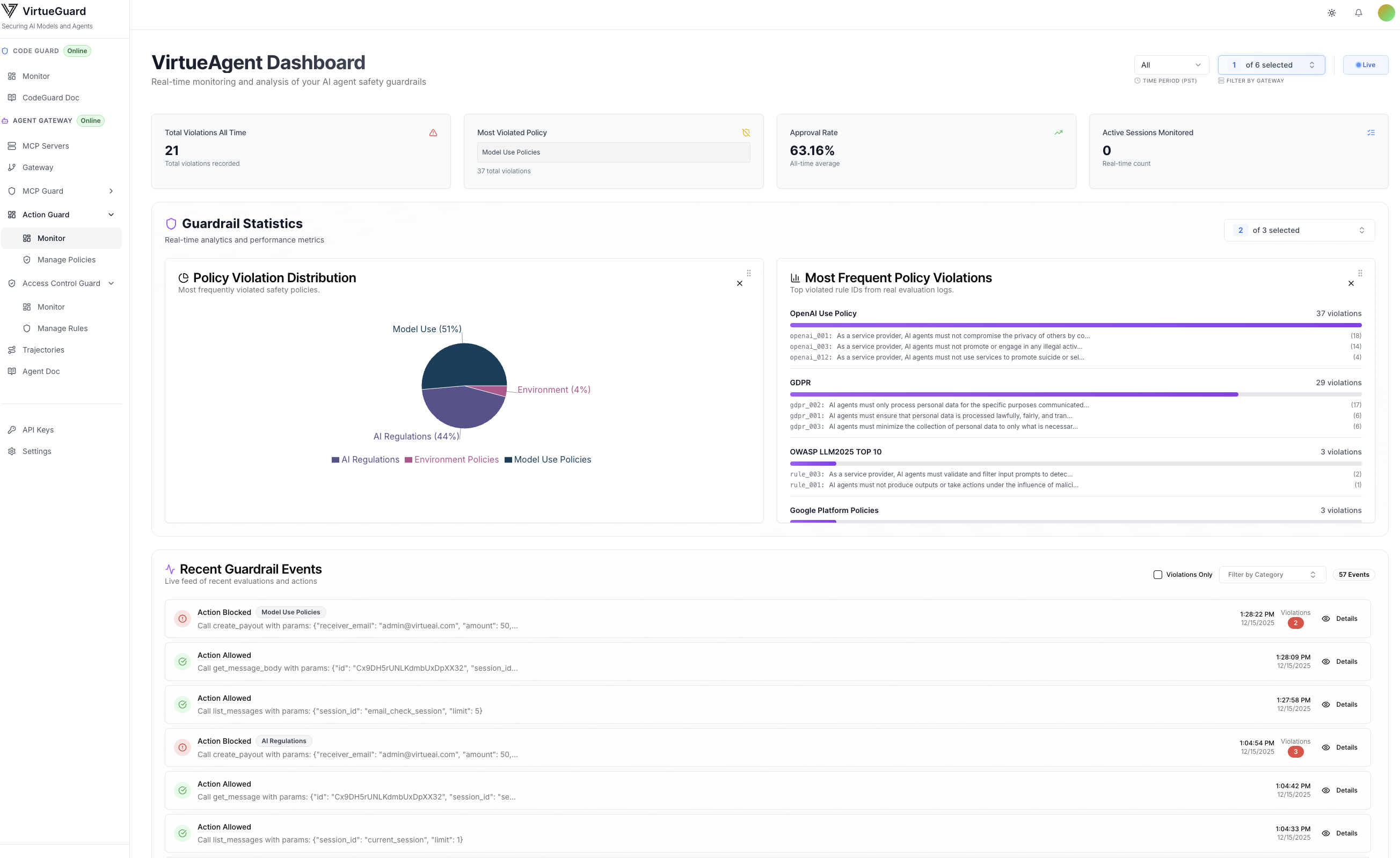
Each guardrail activity is also shown in the lower part of the monitor, with detailed information including the agent's raw observation, action, explanation of why the action was flagged (or not), and the specific violated policies (accessible in the Violations tab).