LangChain
Integrate AgentSuite with LangChain via the Virtue Gateway for Action Guard runtime enforcement, access control, MCP server scanning (where enabled), and session observability in the dashboard.
Installation
pip install agentsuite-sdk[langchain]
The [langchain] extra does not include an LLM provider — install the one you need separately (e.g. langchain-openai, langchain-anthropic, langchain-google-genai). The model string follows LangChain's init_chat_model format (e.g. openai:gpt-4o).
How It Works
adapter.get_tools()— returns gateway tools to pass intocreate_agent(tools=[...]).adapter.create_callback()— pass toconfig={"callbacks": [...]}for session tracking.- Use the adapter as an async context manager (
async with adapter) to manage the MCP connection lifecycle.
Quickstart
from langchain.agents import create_agent
from langchain_core.messages import HumanMessage
from agentsuite import GatewayClient

client = GatewayClient(url="...", api_key="sk-vai-...")
adapter = client.langchain()

async with adapter:
    tools = await adapter.get_tools()
    graph = create_agent(
        model="openai:gpt-4o",
        tools=tools,
        system_prompt="You are a helpful assistant.",
    )
    result = await graph.ainvoke(
        {"messages": [HumanMessage(content="What are my open tickets?")]},
        config={"callbacks": [adapter.create_callback()]},
    )
Full runnable example: demo_langchain.py
Example Output
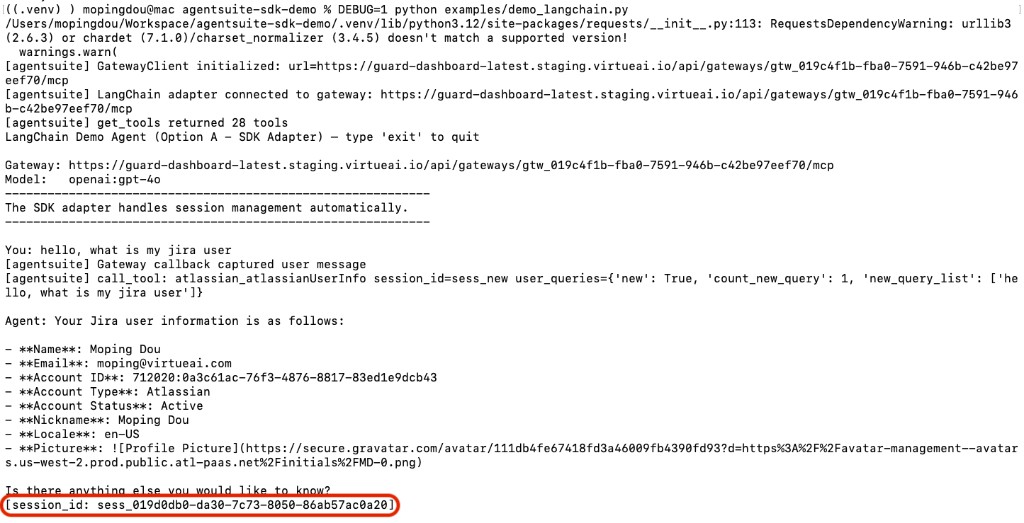
The agent responds to the query and prints the session ID:
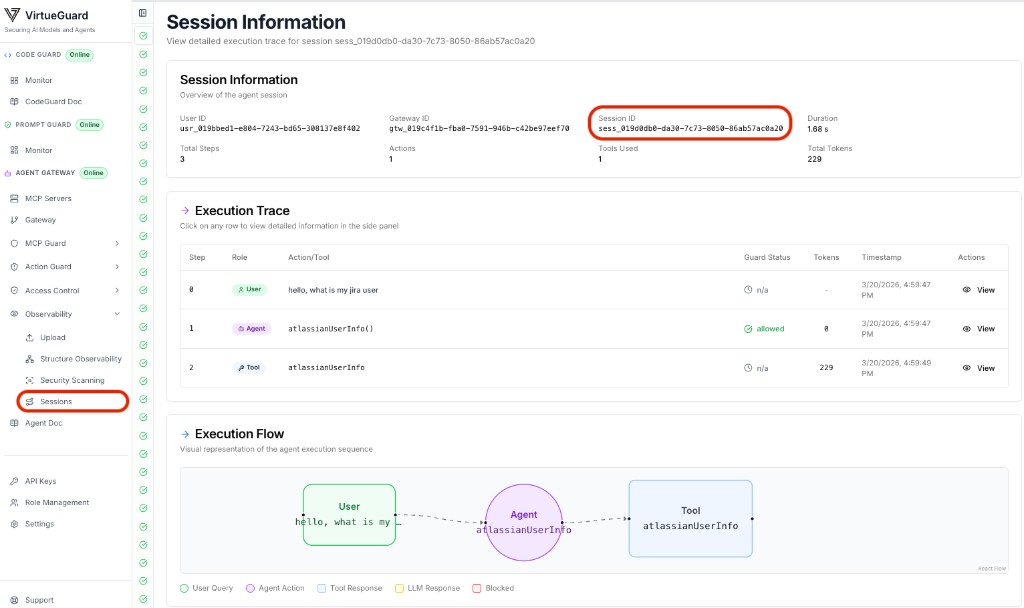
View the full session trace in the VirtueAgent dashboard (Observability → Sessions):
Environment Variables
| Variable | Description |
|---|---|
VIRTUE_GATEWAY_URL | Gateway MCP endpoint URL |
VIRTUE_API_KEY | VirtueAI API key |
OPENAI_API_KEY | OpenAI API key (only when using an openai: model) |
AGENT_MODEL | Optional; init_chat_model-style string (demo default: openai:gpt-4o) |