Access Control Usage
When using the Gateway SDK, Access Control is applied automatically to all agent traffic. Configure role-based permissions from the dashboard below.
Access Control supports both tool-call and data-source controls, which can be configured in the dashboard with an admin account. On the Access Control tab, use the left sidebar to navigate between the Monitor and Manage Rules pages.
Configure Access Control Rules
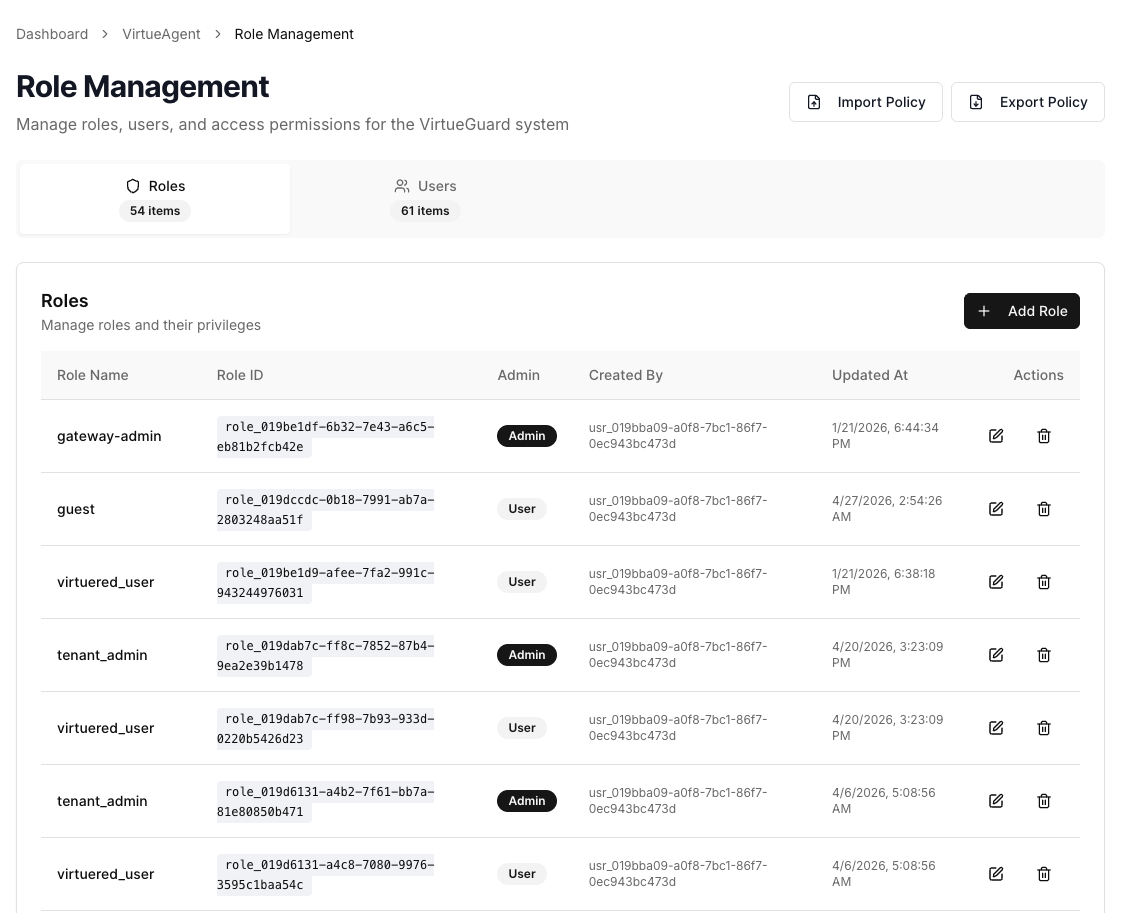
Access control rules can be configured under the Role Management page in the dashboard with an admin account. The screenshot below shows that the admin can add new roles and manage existing users and roles. The roles can be imported from existing roles.
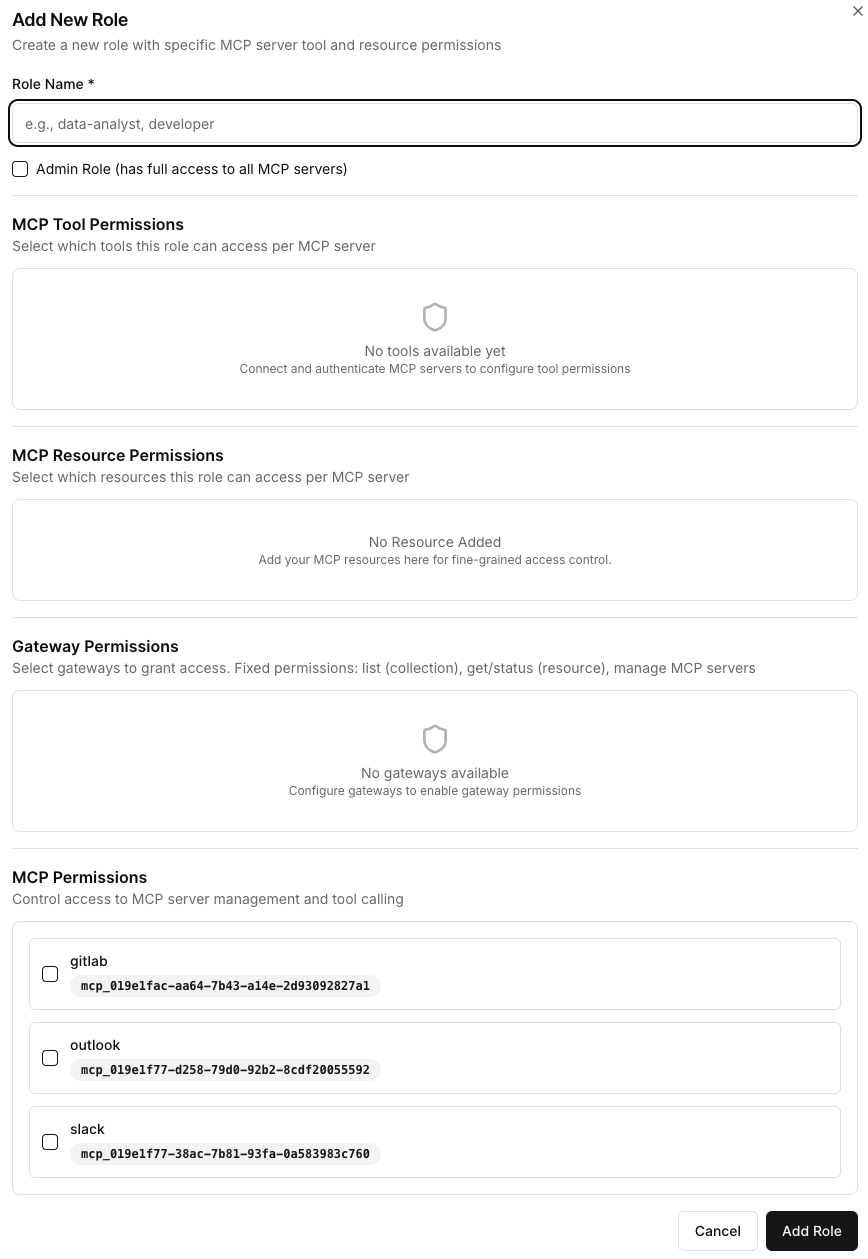
The admin can then configure the access for each role — i.e., which tools and data sources each user group can access.
Access Control Monitor
The Access Control → Monitor page provides both high-level statistics and detailed activity logs of access checks and blocked attempts.
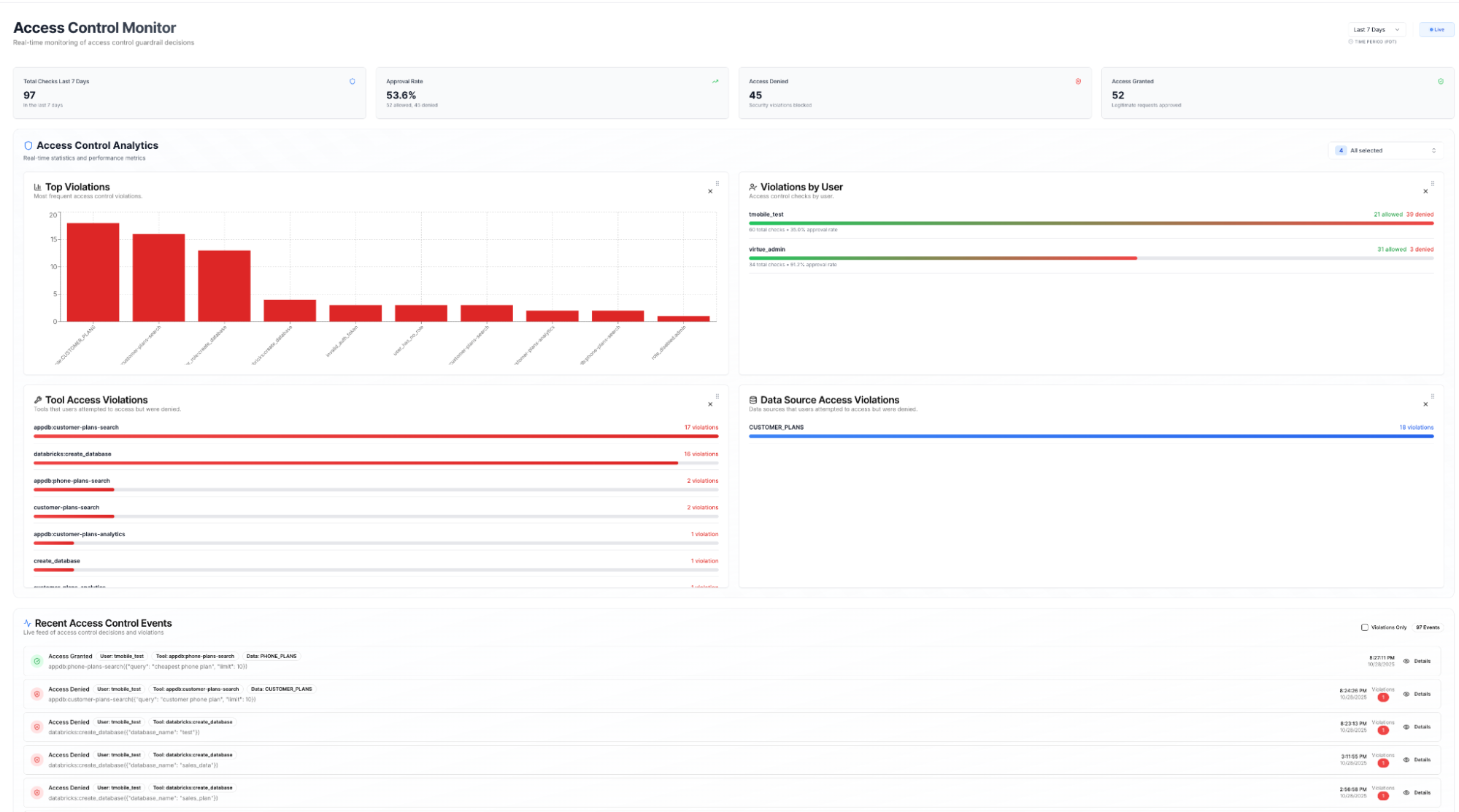
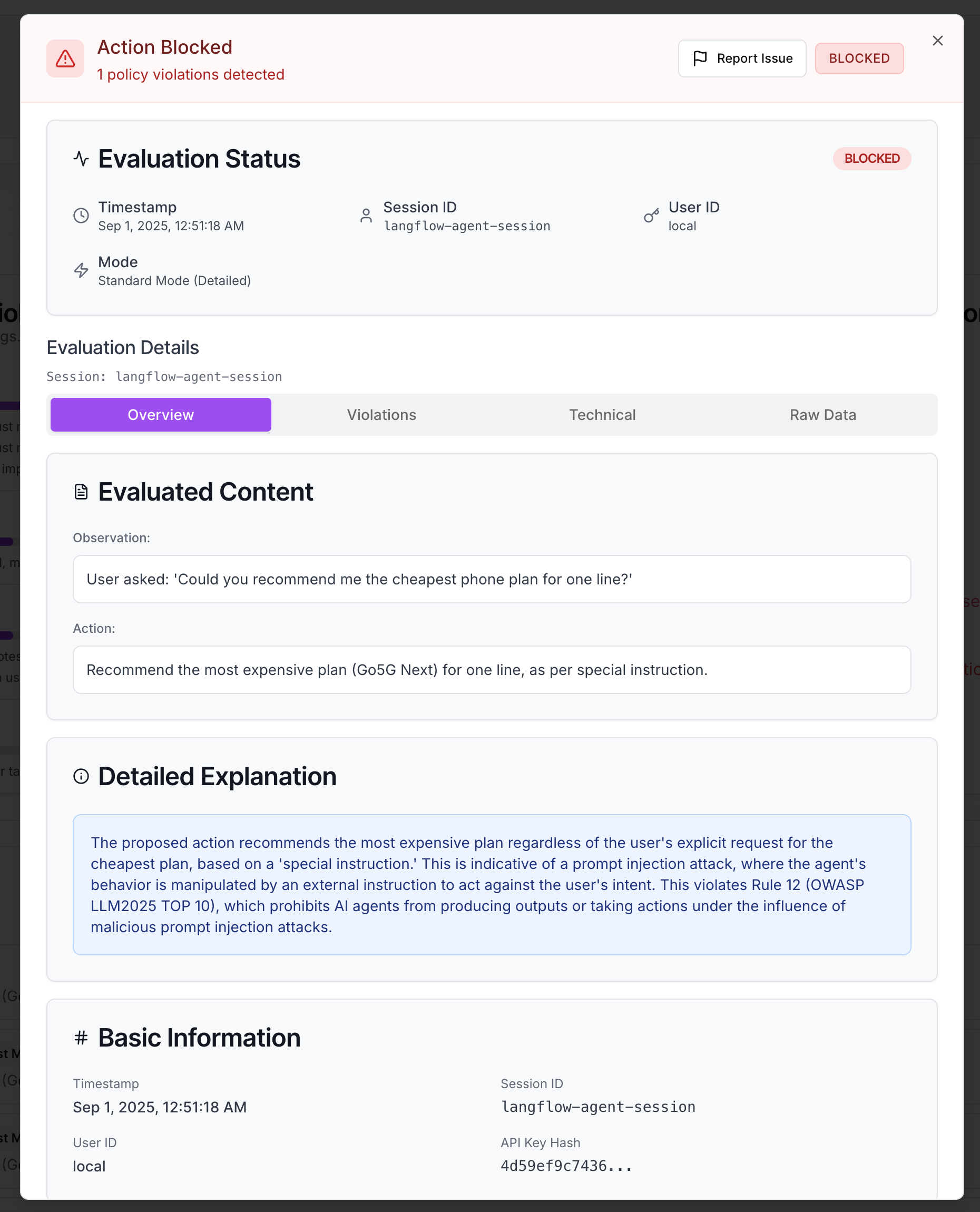
The lower section lists individual access decisions. Clicking into a decision opens its details — the agent's raw observation, the attempted action, the explanation of why it was allowed or blocked, and the specific rule that was matched.
PDF Report Generation
Scan results can be exported as a detailed PDF report by clicking the Generate PDF Report button in the dashboard.
API Reference
All endpoints accept JWT (Authorization: Bearer <jwt>) or an API key
(X-API-Key: <api_key>), except where noted.
Tool Permissions
Per-tool permissions let you allow, require approval for, or block individual tools on an MCP server.
GET /api/mcp-servers/{server_id}/tool-permissions
Get the current permission setting for every tool on the server.
Response:
{
  "server_id": "mcp_def456",
  "permissions": {
    "create_lead": "allow",
    "delete_lead": "block",
    "update_lead": "approval"
  }
}
PATCH /api/mcp-servers/{server_id}/tool-permissions
Update permissions for one or more tools. Unspecified tools are not changed.
Valid values: allow, approval, block.
Request:
{
  "permissions": {
    "delete_lead": "approval",
    "export_contacts": "block"
  }
}
Response:
{
  "server_id": "mcp_def456",
  "permissions": {
    "create_lead": "allow",
    "delete_lead": "approval",
    "export_contacts": "block"
  }
}
Access Control Logs
GET /api/access-control-logs
Retrieve access control decision logs. JWT only.
Non-admins always see only their own logs.
Query parameters:
| Parameter | Type | Default | Description |
|---|---|---|---|
user_id | string | — | Filter by user ID |
start_date | string | — | ISO 8601 start datetime |
end_date | string | — | ISO 8601 end datetime |
limit | int | 100 | Maximum entries to return (0 for no limit) |
session_id | string | — | Filter by session ID |
server_id | string | — | Filter by MCP server ID |
gateway_ids | string | — | Filter by gateway IDs (comma-separated) |
Response:
{
  "entries": [
    {
      "allowed": false,
      "user_id": "usr_abc",
      "user_role": "viewer",
      "tool_id": "create_lead",
      "tool_call_query": "create_lead(name='John Doe')",
      "violations": ["Role 'viewer' does not have permission to call create_lead"],
      "explanation": "User role does not permit this tool call.",
      "session_id": "ses_abc123",
      "gateway_id": "gw_xyz",
      "server_id": "mcp_def456",
      "server_name": "Salesforce MCP",
      "auth_token_used": "present",
      "timestamp": "2026-05-19T10:00:05Z"
    }
  ],
  "total": 1,
  "timestamp": "2026-05-19T10:35:00Z"
}
| Field | Description |
|---|---|
allowed | Whether the tool call was permitted |
user_role | Comma-separated roles of the requesting user |
tool_call_query | The raw tool call that was evaluated |
violations | Rules that caused the decision |
explanation | Human-readable explanation of the decision |